Bath Fan

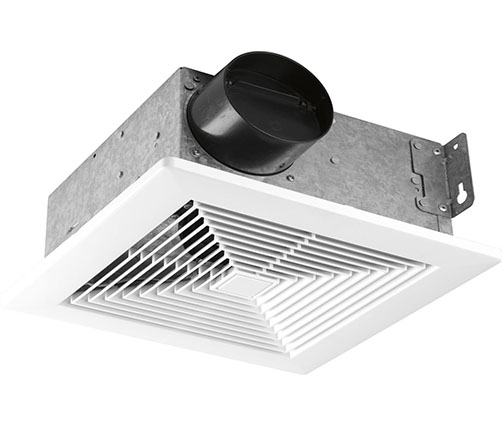
Bath Fan Parts, Accessories & Repair Help


Is your bathroom in a fog and you cannot enjoy while taking a bath? Don’t be in stress because you are in the right place. Obinlinks Repair is here to help you repair your bathroom fan and eradicate the fog. To be in apposition of troubleshooting your bath, go through the below symptoms.


Parts for Bath Fan Common Symptoms

Cause 1

Heating Element
To determine if the heating element is burned out, use a multimeter to test the element for continuity. If the heating element does not have continuity, replace it. The heating element is not repairable—if the element is defective, replace it.

Cause 1

Light Socket
To determine if the light socket is defective, use a multimeter to test the incoming power to the socket. If the socket is getting power, but the light bulb won’t work, this indicates that the socket is defective and should be replaced.

Cause 2

Fluorescent Light Bulb
The fluorescent light bulb has likely burned out. Try replacing the light bulb.

Cause 3

Light Bulb
The light bulb has likely burned out. Try replacing the light bulb.

Cause 1

Blower Wheel
Try spinning the blower wheel by hand. If the blower wheel does not spin freely, check for the blower wheel for obstructions. In addition, ensure that the blower wheel is not rubbing against the blower housing. If the blower wheel is clear of obstructions, but it still doesn’t spin freely, replace the blower wheel.

Cause 2

Air Flow Problem
First, use a rag to clean the vent grille cover and the fan components. If you have cleaned the fan, but the fan still doesn’t vent to the outside, check the vent to determine if it is clogged.

Cause 3

Fan Motor
Check to see if the fan blade is spinning when the bath fan is turned on. If the fan blade does not spin, make sure that the fan motor is getting power. If the fan motor is not getting power, test the switch for continuity. If the fan motor is getting power, but the fan won’t turn, the fan motor is likely defective.

Cause 1

Fan Motor
The fan motor might be burned out. To determine if the fan motor is defective, use a multimeter to test it for continuity. If the fan motor does not have continuity, replace it.

Cause 2

Blower Wheel
Try spinning the blower wheel by hand. If the blower wheel does not spin freely, check for the blower wheel for obstructions. In addition, ensure that the blower wheel is not rubbing against the blower housing. If the blower wheel does not turn freely, and no obstructions are present, the fan motor might be defective.

Cause 3

Fan Blade
First, inspect the fan blade for damage. If the fan blade is damaged, replace it. If the fan blade does not appear to be damaged, try turning the fan blade by hand. If the fan blade does not turn freely, check for obstructions. If any obstructions are present, remove them. If the fan blade does not turn freely, and no obstructions are present, the fan motor might be defective.

Cause 1

Fan Blade
First, inspect the fan blade for damage. If the fan blade is damaged, replace it. If the fan blade does not appear to be damaged, try turning the fan blade by hand. If the fan blade does not turn freely, check for obstructions. If any obstructions are present, remove them. If the fan blade does not turn freely, and no obstructions are present, the fan motor might be defective.

Cause 2

Blower Wheel
Try spinning the blower wheel by hand. If the blower wheel does not spin freely, check for the blower wheel for obstructions. In addition, ensure that the blower wheel is not rubbing against the blower housing. If the blower wheel is clear of obstructions, but it still doesn’t spin freely, replace the blower wheel.

Cause 3

Fan Motor
The exhaust fan motor bearings might be worn out. To determine if the bearings are worn out, wiggle the motor shaft back and forth. The motor shaft should not move at all. If the motor shaft moves even slightly, this indicates that the bearings are defective. The bearings are not repairable—if the bearings are worn out, you must replace the motor.

Cause 1

Switch Kit
To determine if a switch is defective, use a multimeter to test the appropriate switch for continuity. There may be up to three different circuits controlling the fan, light, and heater separately. If the switch does not have continuity in the on position, replace it.

Cause 2

Incoming Power Problem
If the bath fan plugs into an outlet, plug an electronic device into the outlet to see if the outlet has power. If the bath fan does not plug into an outlet, check the home circuit breakers or fuses.